
The shift to display servers has been one of the most significant internal technological transformations in the Linux world over the past decade. This milestone directly affects how windows appear on the screen, how smooth the graphics are during gaming, and how our multi-monitor system functions.
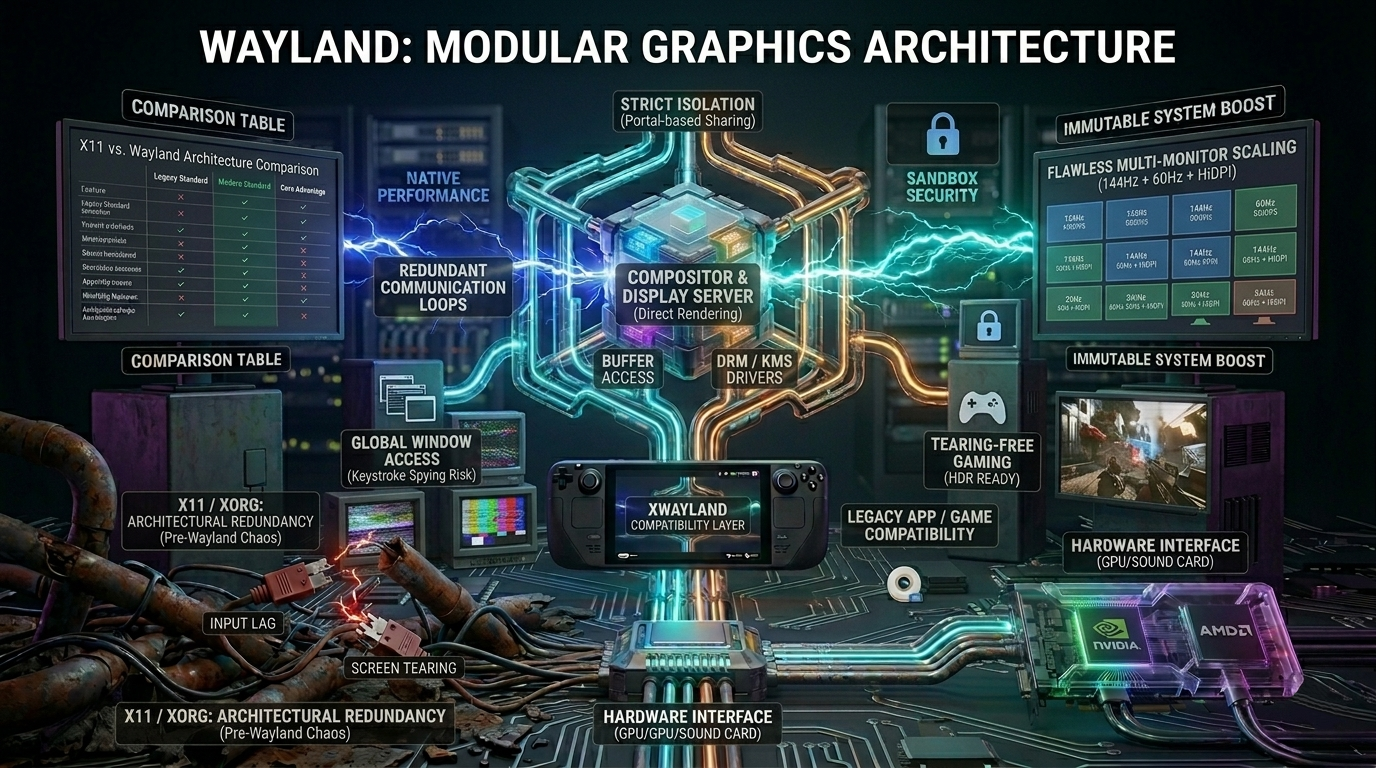
The ancient, nearly 40-year-old X11 (X Org) system has now been definitively dethroned by the modern, secure, and lightning-fast Wayland.
1. The Legacy and Downfall of X11
The X Window System (X11) was born back in 1987 - an era when computers functioned as Unix terminals on a network, and graphics cards and 3D acceleration didn’t even exist yet.
X11 is a classic client-server architecture. When you move the mouse, the process is a complete nightmare:
- The X server receives the mouse movement.
- It sends the coordinates to the window manager (Compositor).
- The window manager calculates where to draw the window, then sends it back to the X server.
- The X server finally sends the image to the monitor.
All those unnecessary loops meant that X11 was prone to screen tearing and was unable to natively handle monitors with different refresh rates (e.g., a 144Hz monitor and a 60Hz monitor) side by side without stuttering. Moreover, it was outdated from a security standpoint: under X11, any application running in the background (e.g., a malicious script) could view and record the contents of other windows or keystrokes.
2. Wayland: A Clean and Secure Architecture
Wayland has broken with the baggage of the past. Here, there is no need for a separate intermediary server: the window manager (Compositor) is the display server itself.
The application communicates directly with the window manager, which uses the Linux kernel’s built-in technologies (DRM - Direct Rendering Manager and KMS - Kernel Mode Setting) to render directly to the graphics card’s memory (buffer) via the OpenGL or Vulkan API.
Why is this a must-have milestone for modern Linux?
- Perfect Gaming (Tearing-Free): With Wayland, every frame is perfectly synchronized (every frame is atomic). No more screen tearing; game and desktop animations run as smooth as silk.
- Mixed Resolution and Refresh Rates: If you have a 4K, high-pixel-density (HiDPI) main monitor at 144Hz and a standard 1080p 60Hz display next to it, Wayland scales them separately for each monitor, pixel-for-pixel.
- Security (Isolation): Under Wayland, applications are completely isolated from one another. Discord cannot take a screenshot of your banking browser window running in the background unless the system asks for your explicit permission to do so (via secure PipeWire-based ports).
X11 vs. Wayland Architecture Comparison
| Feature | Legacy Standard (X11 / Xorg) | Modern Standard (Wayland) |
|---|---|---|
| Architecture | Heavy Client-Server model with redundant communication loops. | Direct Rendering. The compositor acts as the display server, reducing overhead. |
| Visual Smoothness | Prone to screen tearing; requires heavy V-Sync hacks that add input lag. | Perfect Sync. Every frame is rendered perfectly, eliminating tearing natively. |
| Multi-Monitor Scaling | Terrible with mixed refresh rates (e.g., 144Hz + 60Hz) and independent HiDPI scaling. | Flawless. Handles per-monitor fractional scaling and independent refresh rates easily. |
| Security & Sandbox | Global window access. Any app can log keystrokes or spy on other windows. | Strict Isolation. Apps cannot see each other's buffers; secure portals handle screen sharing. |
| Modern Graphics (HDR) | No native support for High Dynamic Range (HDR) colors. | Active Development. Native HDR and color management are driving modern Linux gaming. |
What about Nvidia graphics cards and older games?
For a long time, Nvidia’s proprietary drivers were the biggest obstacle to Wayland. However, with the introduction of Explicit Sync (which handles frame synchronization between the software and the GPU), flickering and glitches between Nvidia and Wayland are finally a thing of the past.
What happens with older games written for X11?
The Linux community has developed a brilliant workaround for this: XWayland. This is a built-in compatibility layer that runs a mini X server within Wayland. This way, old games or older software don’t even notice the change and run flawlessly on modern systems as well.
Wayland’s victory over X11 was the final piece of the puzzle needed for the Linux desktop to catch up with - and even surpass - its competitors in terms of visual experience and modern technologies (such as HDR).