The most profound and liberating milestone in the Linux ecosystem is when we use the system not just for desktop work or gaming, but to become our own cloud provider. This is the world of self-hosting and private home servers.
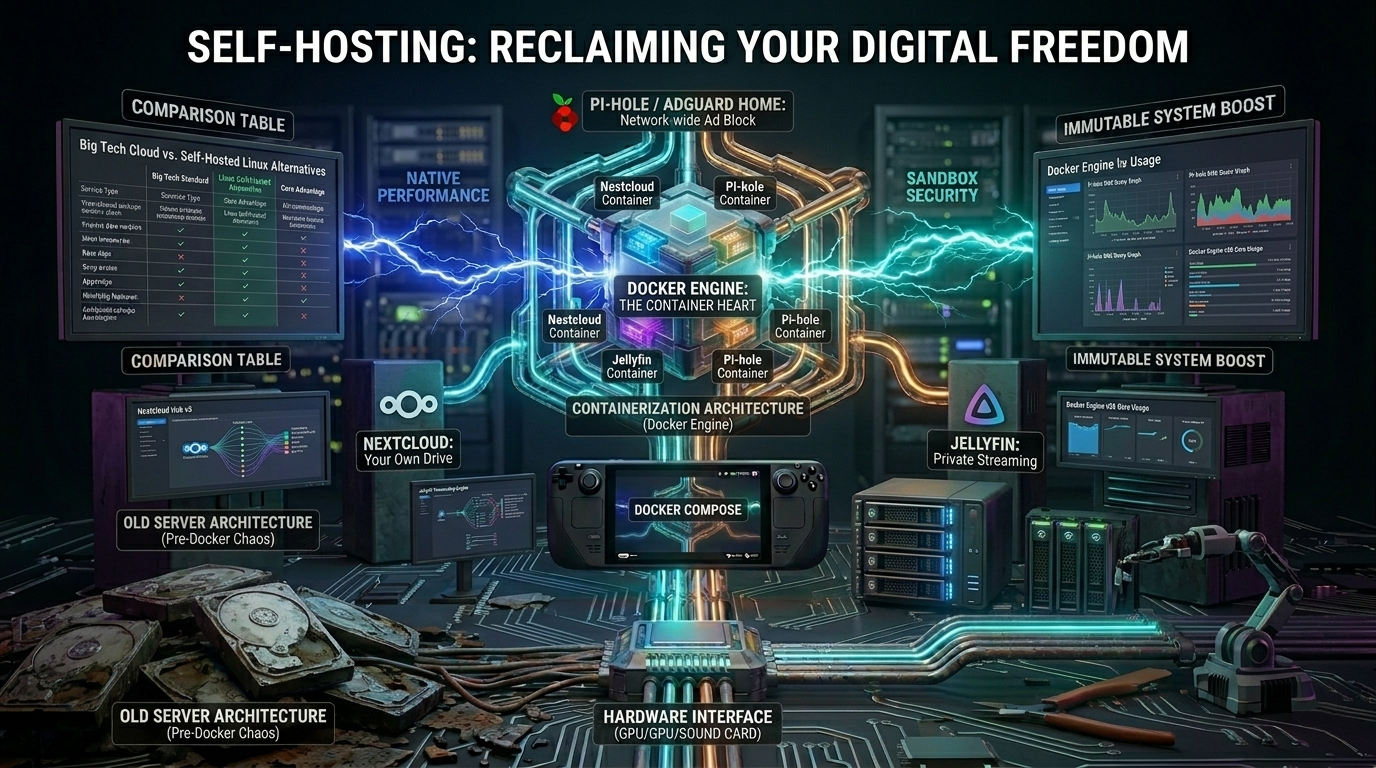
In recent years, technology has made huge strides in this area as well. In the past, running your own cloud or media server meant days of configuration, dependency issues, and security risks. Today, thanks to Docker and containerization, this process has been reduced to a matter of minutes, completely transforming control over your data.
1. A Declaration of Independence: What Is Self-Hosting?
The essence of self-hosting is replacing the cloud services of the big tech giants (Google, Apple, Microsoft, Dropbox) with open-source alternatives running on your own hardware - whether that’s an old, unused laptop, a mini PC, or a dedicated NAS (Network Attached Storage) server.
Why would anyone do this?
- Data privacy: Your data (photos, documents, passwords) is physically stored on a hard drive in your home, not in a remote data center where algorithms are scanning through it.
- Cost-effectiveness: There are no rising monthly subscription fees for storage.
- Customizability: You launch services and link them together however you like.
2. Docker: The Containerization Revolution
Docker is at the heart of modern home servers. In the past, if you wanted to set up a media server and a private cloud on a single machine, each required its own web server and database (e.g., MySQL, PostgreSQL). If an update to one application modified the database, the other could crash.
Docker put an end to this: it introduced containers.
A container is an ultra-lightweight, isolated environment. It contains the application and all the necessary code, runtime environment, and system tools.
- Isolation: The Jellyfin media server container knows nothing about the Nextcloud container. They cannot interfere with each other’s dependencies.
- Portability: With a single configuration file (docker-compose.yml), you can copy your entire home server to another computer, and it will run exactly the same way in seconds.
The 3 Most Popular Self-Hosted Milestones
If you’re starting down this path, the following three services are your gateway to true digital freedom:
1. Nextcloud – Your own Google Drive and iCloud alternative
Nextcloud is not just a storage service. It can automatically sync photos from your phone to your own server, includes a built-in calendar and contact manager, and even has its own chat and document editor modules (Collabora/ONLYOFFICE).
2. Jellyfin – The open-source, private Netflix
Unlike Plex, Jellyfin is 100% free and open-source. It scans the movies and TV shows on your hard drive, downloads cover art and descriptions for them, and makes them available on all your devices (TV, phone, browser). It supports hardware transcoding, so the Linux server’s graphics card can optimize the video in real time for slower networks.
3. Pi-hole / AdGuard Home – System-wide ad blocking
A virtual DNS server that filters ads and trackers from your entire home network. You don’t need to install separate ad blockers on every device (such as your smart TV or phones): Pi-hole blocks access to ad servers right at the router level, so websites load faster, and your smart devices can’t report data to manufacturers.
Big Tech Cloud vs. Self-Hosted Linux Alternatives
| Service Type | Big Tech Standard (Proprietary / SaaS) | Linux Self-Hosted Alternative | Core Advantage |
|---|---|---|---|
| Cloud Storage & Sync | Google Drive / Microsoft OneDrive / iCloud | Nextcloud | Complete Privacy. Your files, photos, and contacts stay on your physical hardware under your encryption. |
| Media Streaming | Netflix / Spotify / YouTube Premium | Jellyfin / Navidrome | No Subscription Fees. Stream your personal media collection in original quality with zero corporate tracking. |
| Network Security | Proprietary Router Firewalls / ISP DNS | Pi-hole / AdGuard Home | Network-wide Ad Blocking. Blocks tracking and malware domains for all devices (including Smart TVs and mobile). |
| Password Management | 1Password / Bitwarden Cloud | Vaultwarden (Bitwarden API) | Isolated Credentials. Your encrypted master password database is hosted locally, mitigating massive data breaches. |
| Home Automation | Google Home / Apple HomeKit | Home Assistant | Local Control. Your smart home devices talk to each other locally, keeping your routines functional even if the internet goes down. |