

A modern, real-time voice assistant built on Google’s latest multimodal Gemini Live API. The goal of the project is to create a seamless, human-like interaction interface in a desktop environment.
Gemini Live Assistant (Linux)
Version: 1.0.0
Platforms: Linux (Debian 13+, Ubuntu 24.04+, Mint 22+), Windows 10-11.
Talk to your Linux desktop – Gemini Live, natively integrated.
Gemini Live Assistant is a modern, AI-powered assistant integrated into a desktop environment that combines the Google Gemini engine with native Linux tools. The program is not just a chatbot, but a full-fledged assistant capable of interacting with the file system, browsing the web, and managing the user’s daily tasks and so on.
Features
- Interactive Voice-Based Conversation:
Real-time voice transmission and processing (Google Live API).
Speech recognition and response generation using optimized models.
Voice-based control with natural, human-like interaction. - Web Capabilities:
Up-to-date web search powered by the Startpage search engine.
In-depth downloading and analysis of URL content, web pages, and PDF documents.
Precise timetable and official data lookup with automatic source following.
Displaying and sharing links directly in the terminal. - Memory, History and Context:
Automatic session continuity: the assistant reads the latest conversation log on startup and continues naturally where you left off.
Conversation history stored in daily log files.
Intelligent log searching and date isolation to recall past events accurately.
Private personal diary kept autonomously by the assistant. - File Management and Work Environment (Sandbox):
Listing, reading, writing, surgical modification, moving, renaming, and deleting files in a dedicated sandbox environment.
Directory creation and structured file management.
Detailed file analysis, including visual analysis of images. - Tools and Assistance:
Shopping list and to-do list management with file-based storage.
Reminders and desktop notifications (including delayed notifications).
Screenshot capture and automatic visual analysis.
Music recognition (identifying music playing in the background).
AI image generation.
Launching installed applications by name.
Fetching exact current time and date. - Programming and Development:
Code writing, testing, and debugging in Python, C, C++, and other languages.
GUI application development (e.g. GTK4, Tkinter).
Commodore 64 assembly development using the ca65/ld65 toolchain and integrated knowledge base.
Script execution within the sandbox environment. - User Interface (UI):
Modern interface supporting multiple themes (macOS, Glass, Dark, Native) and languages (Hungarian, English, German).
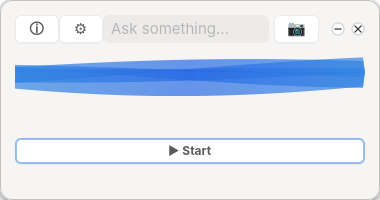
Real-time status indicators (thinking, listening, and speaking animations).

License
Gemini Live Assistant is proprietary freeware.
- ✅ Free to download and use for personal, non-commercial purposes
- ❌ Redistribution without permission is not allowed
- ❌ Reverse engineering, decompilation, or modification is prohibited
- ❌ The source code is not available
This is an unofficial community project and is not affiliated with, endorsed by, or sponsored by Google.
- Contact me: if you wish to try it and support
- ☕ If you find it useful: Support on Ko-fi
Currently tested mostly on Debian 13 (GNOME). Feedback from other systems is very welcome!
Installation
The software comes in a single standard Debian package:
sudo dpkg -i gemini-live_1.0.0_amd64.deb

sudo apt-get install -f  # To resolve GTK4 dependencies - run this if the previous command reports dependency errors
Launch from the menu:

Before you try the app, you'll need a Google account and to follow a few basic steps:
- Log in to AI Studio: Get API Key
- Accepting the Privacy Policy: The first time you use the service, you must accept the Google AI Labs Privacy Policy and Terms of Service. This is a one-time step that allows AI Studio to access your projects and save your prompt history.
- Creating an API Key: In the left-hand menu, select the API Keys tab, then click the Create API Key button. Name it, assign it to a project, and copy the generated key.
- Adding your API Key and select an AI-Model: You need to add the key and select your available AI-Model after the first running gemini-live application.
Google API & Data Privacy
Gemini Live Assistant uses the Google Gemini API. Voice input and conversation data are processed by Google's servers in accordance with Google's privacy policy and terms of service.
By using this application, you also agree to Google's terms:
Locally stored data (reminders, shopping list, screenshots, logs) never leaves your machine and is managed exclusively by the app under ~/geminilive/.
Beta - Feedback is welcome